How to access your account?
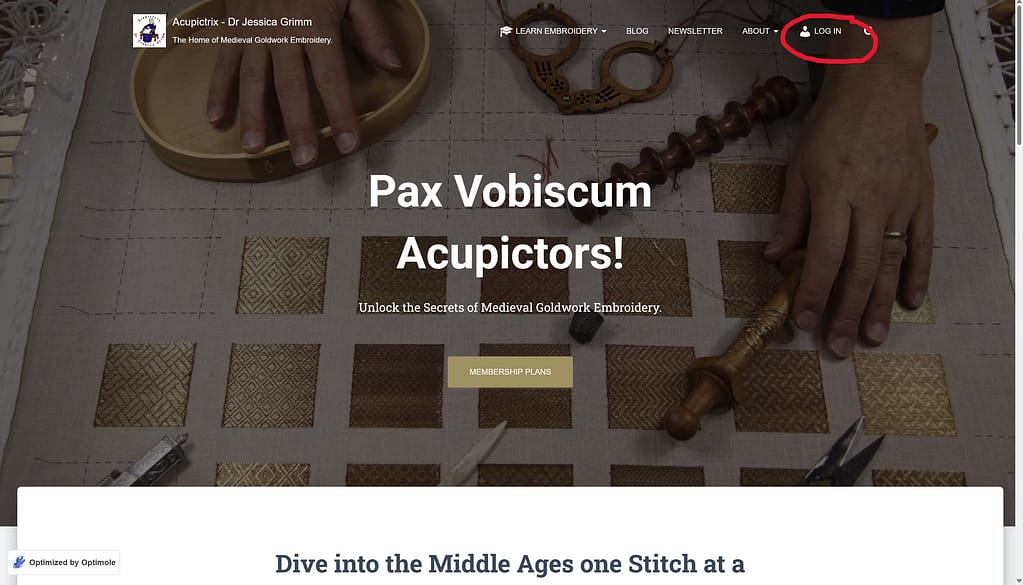
Click on “Log in” to enter the membership area of my website.
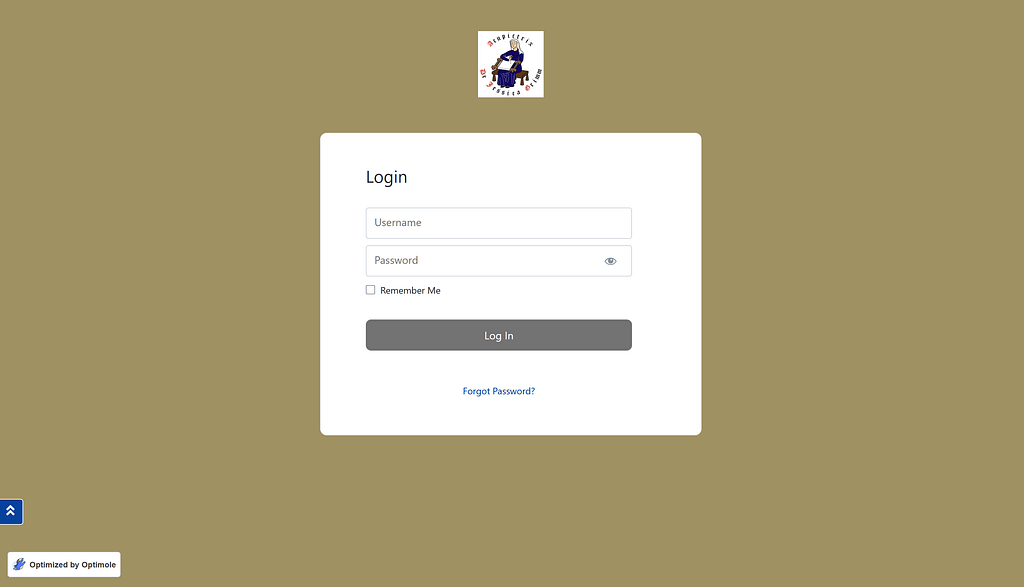
Enter your Username and password, then click Log in.
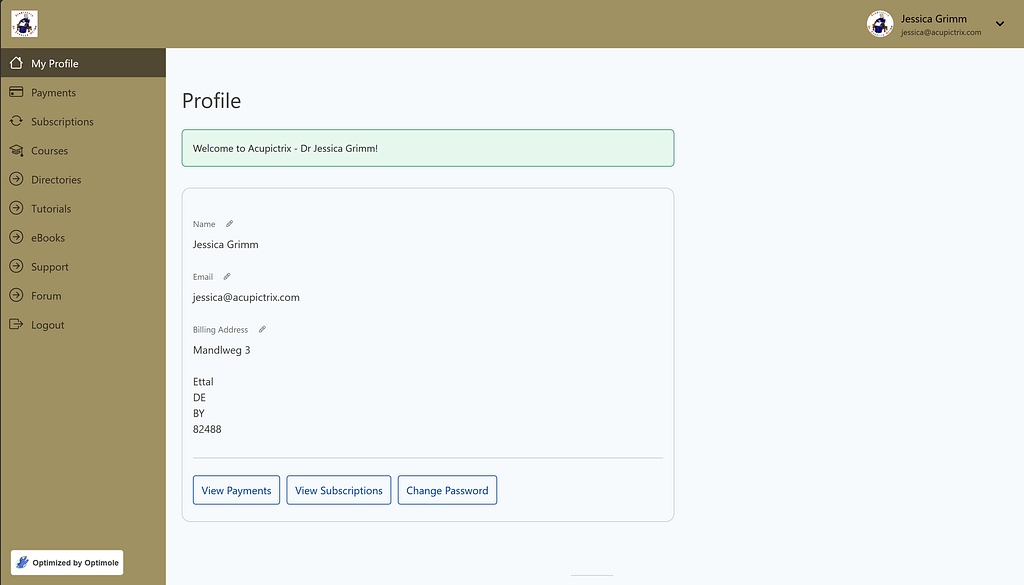
Your membership dashboard will appear with links to all essential parts of your profile and the perks that came with your membership. The pencil icon indicates that you can edit this particular part when you click on it. You can also change your password and view payments and subscriptions by clicking the buttons at the bottom.
By the way, clicking the website logo at the top right takes you back to this page from anywhere on the website by selecting “Account” in the drop-down menu. It will also have an option to change your password or to log out.